Write with AI
When you want help with the words.
Draft, Extend, Elaborate, Rewrite and Recast use your local model. You decide when AI writes and when it doesn’t.
Let AI draft with you. Write every word yourself. Or move freely between the two.
Generating prose is one useful tool. StoryBook is also built to work with the text once it exists — regardless of whether you wrote it yourself, drafted it with AI, or brought it in from somewhere else.
Writing the words is one part of the work. Understanding what you’ve written is another. StoryBook helps with both.
Draft, Extend, Elaborate, Rewrite and Recast use your local model. You decide when AI writes and when it doesn’t.
Brainstorm ideas, interview characters, explore your world and use AI as a sounding board while you make the creative decisions.
Write every word yourself and use AI as an editor, proofreader, analytical tool or simply another reader.
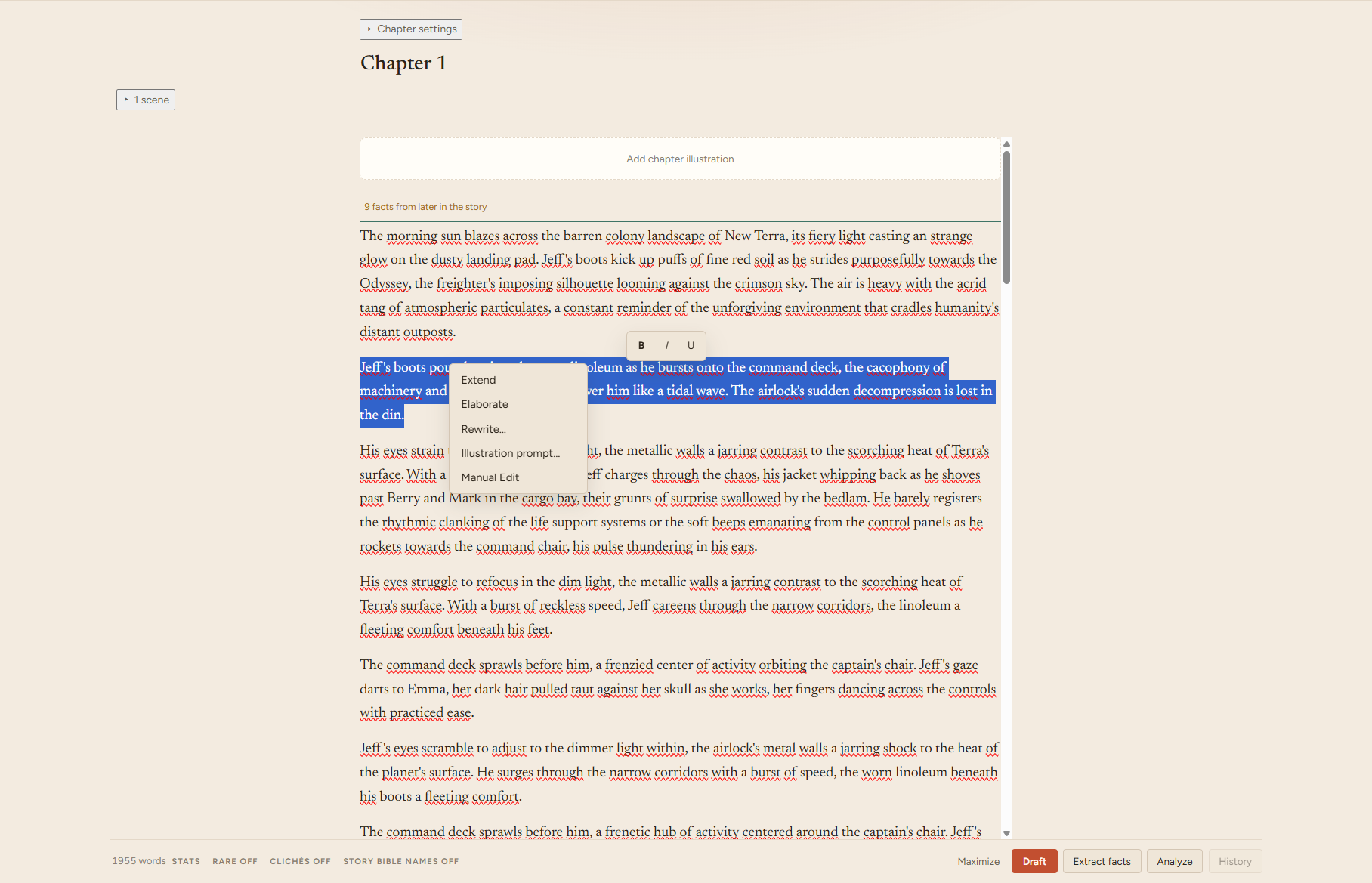
Write directly in a WYSIWYG editor with bold, italic and underline. When you want assistance, StoryBook can Draft, Extend, Elaborate, Rewrite and Recast with your local AI model.
You don’t have to let AI write a single sentence. The editor, Story Bible, analysis tools and publishing workflow remain useful when every word is your own.
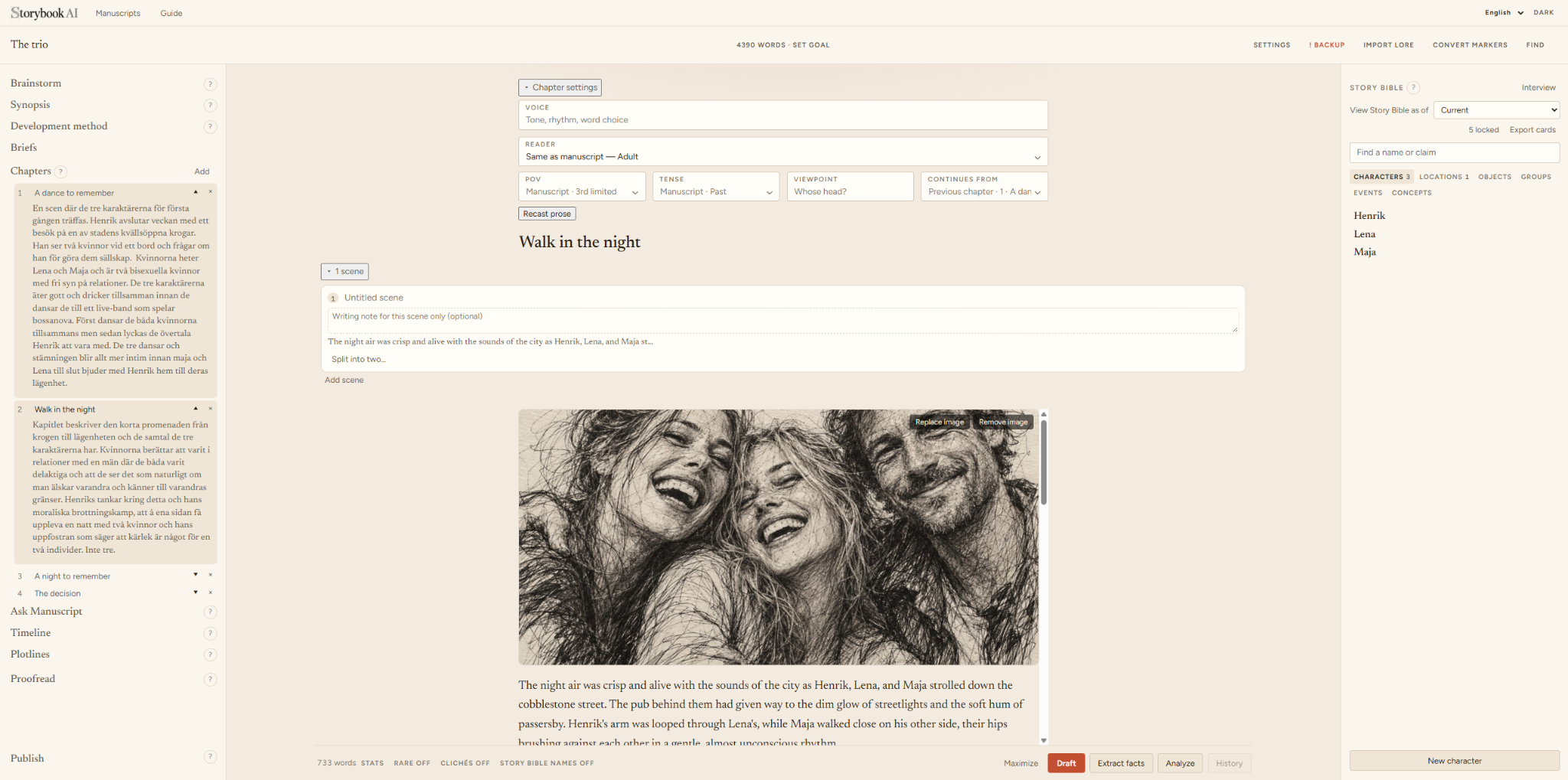
Shape a chapter with its own voice, reader, point of view, tense and viewpoint. Link it to the chapter it continues from, then break the chapter into scenes and add scene notes when you want more structure.
The structure is there when you need it — and stays out of the way when you don’t.
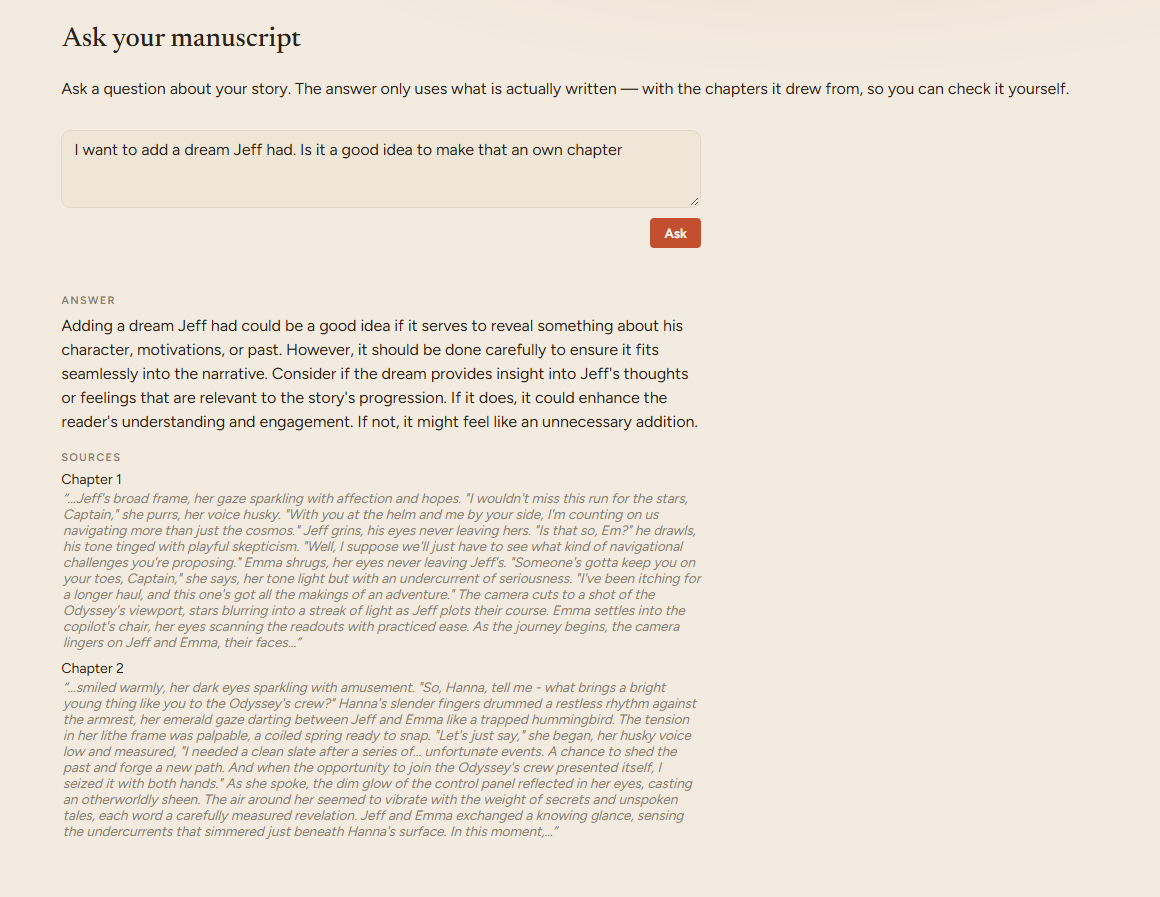
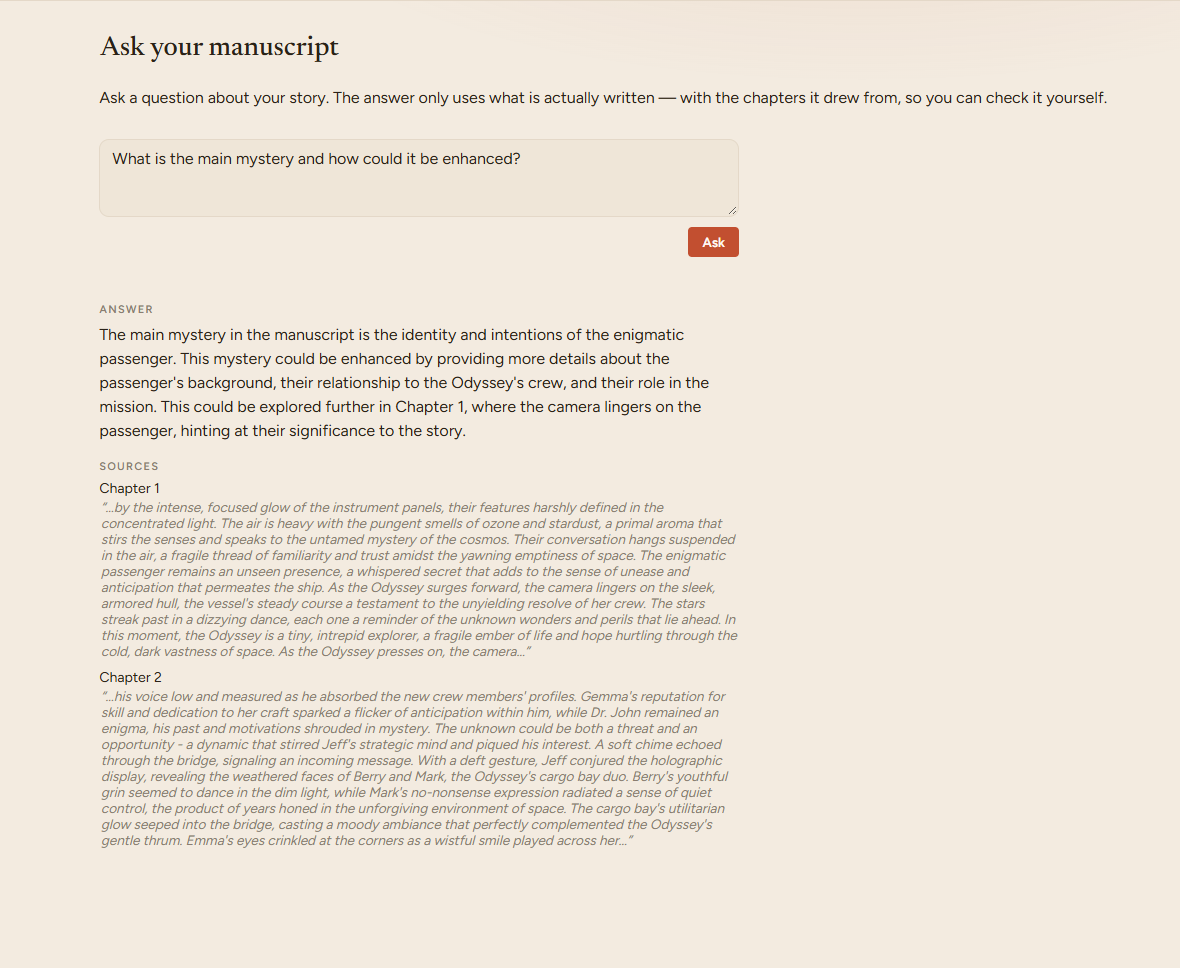
Have a conversation with the story you’ve actually written. Ask about plot, characters, pacing or new ideas you are considering. StoryBook responds in the context of your manuscript and shows which chapters informed the answer, so you can check it yourself.
Sometimes you don’t need someone to write the next paragraph. You need someone to read the last twenty chapters.
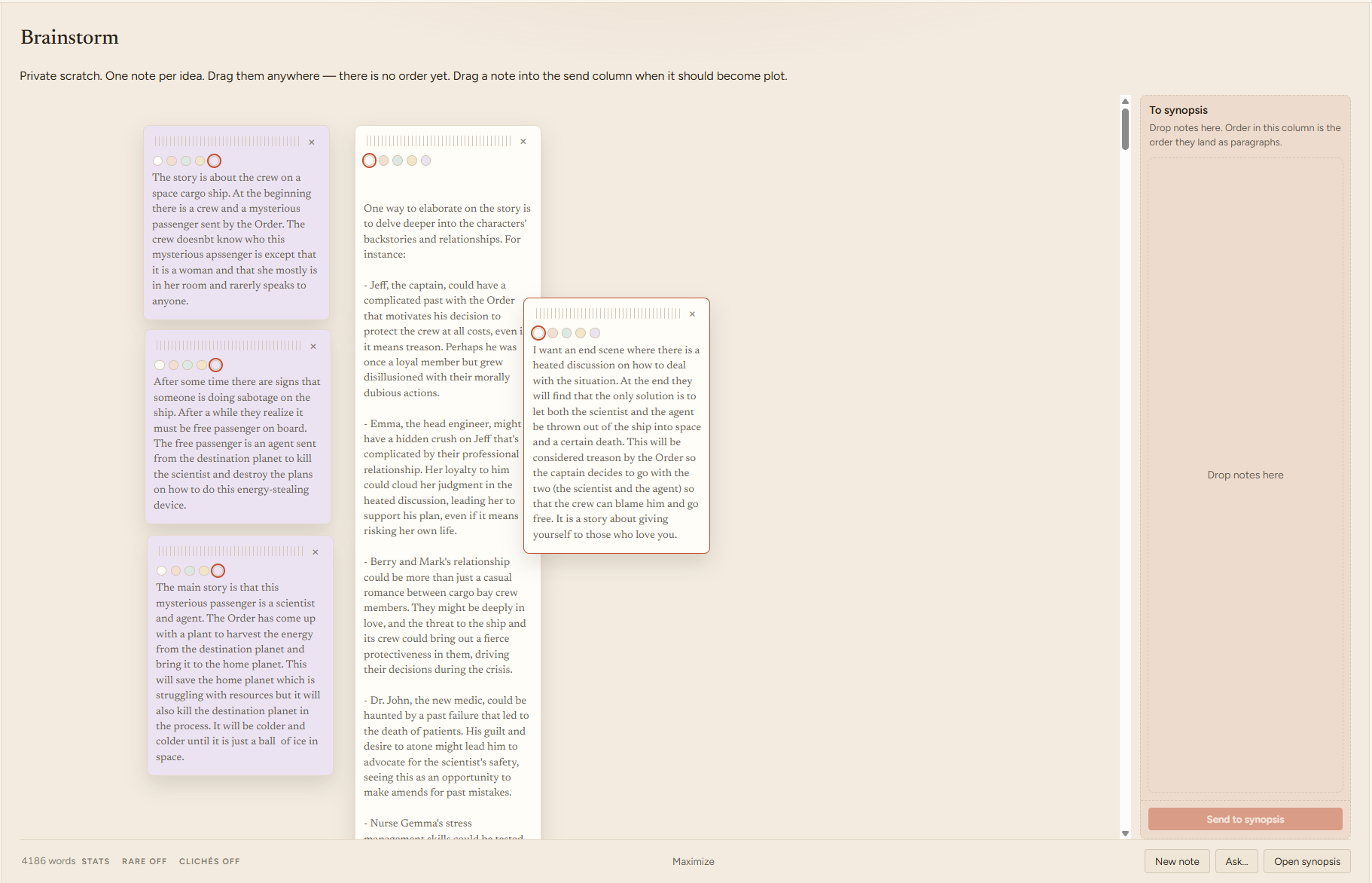
Start with a detailed structure, a few notes, or simply open Chapter 1 and begin writing. Brainstorm privately, shape a synopsis, create chapter briefs and use Snowflake, Three-act, Save the Cat or Hero’s Journey when structure helps.
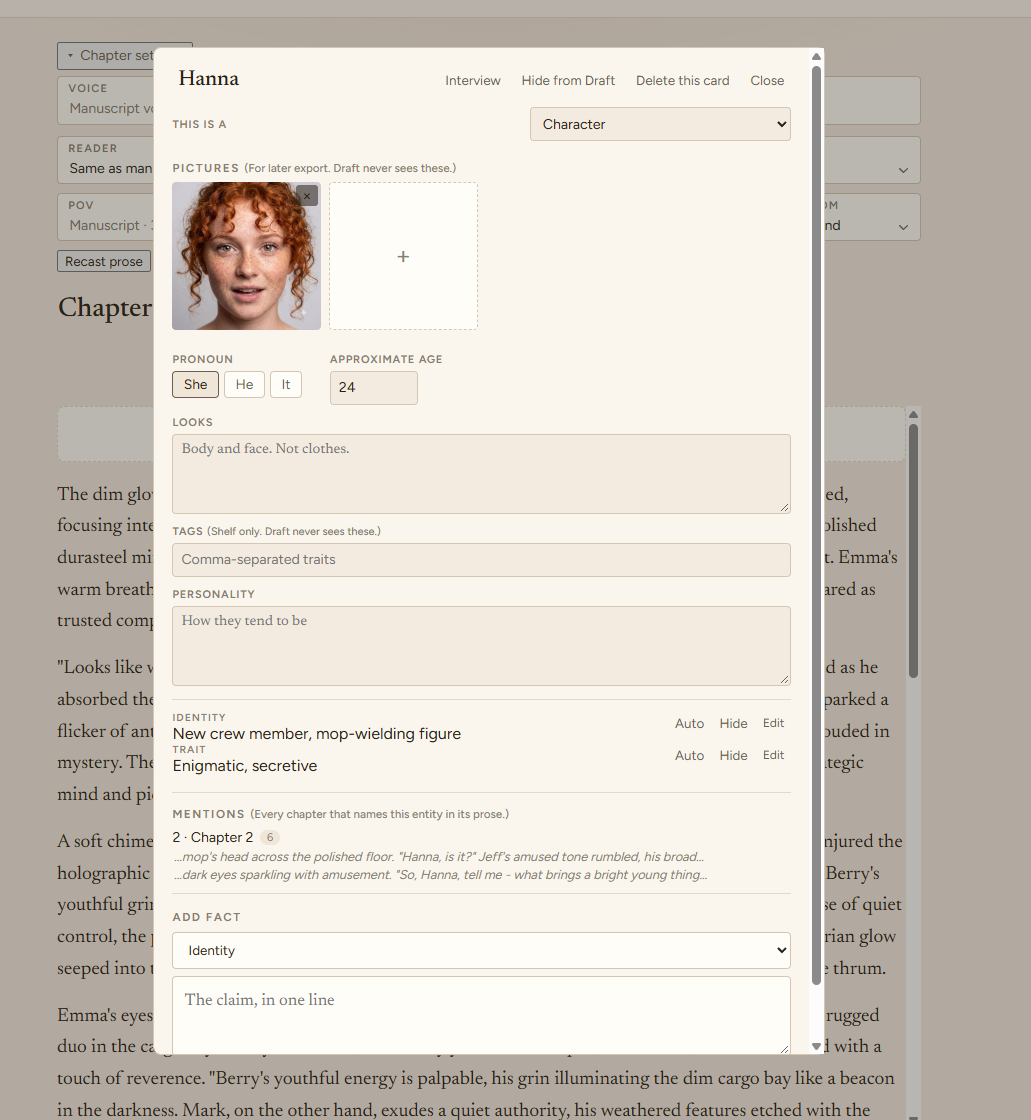
Keep characters, locations, objects, groups, events, concepts and established facts together. Relationships are stored as facts on the relevant entities rather than as a separate Story Bible category. StoryBook can extract possible facts from prose, lore or exploration — but they are reviewed before you decide what belongs in canon.
AI may improvise. You decide what becomes canon.
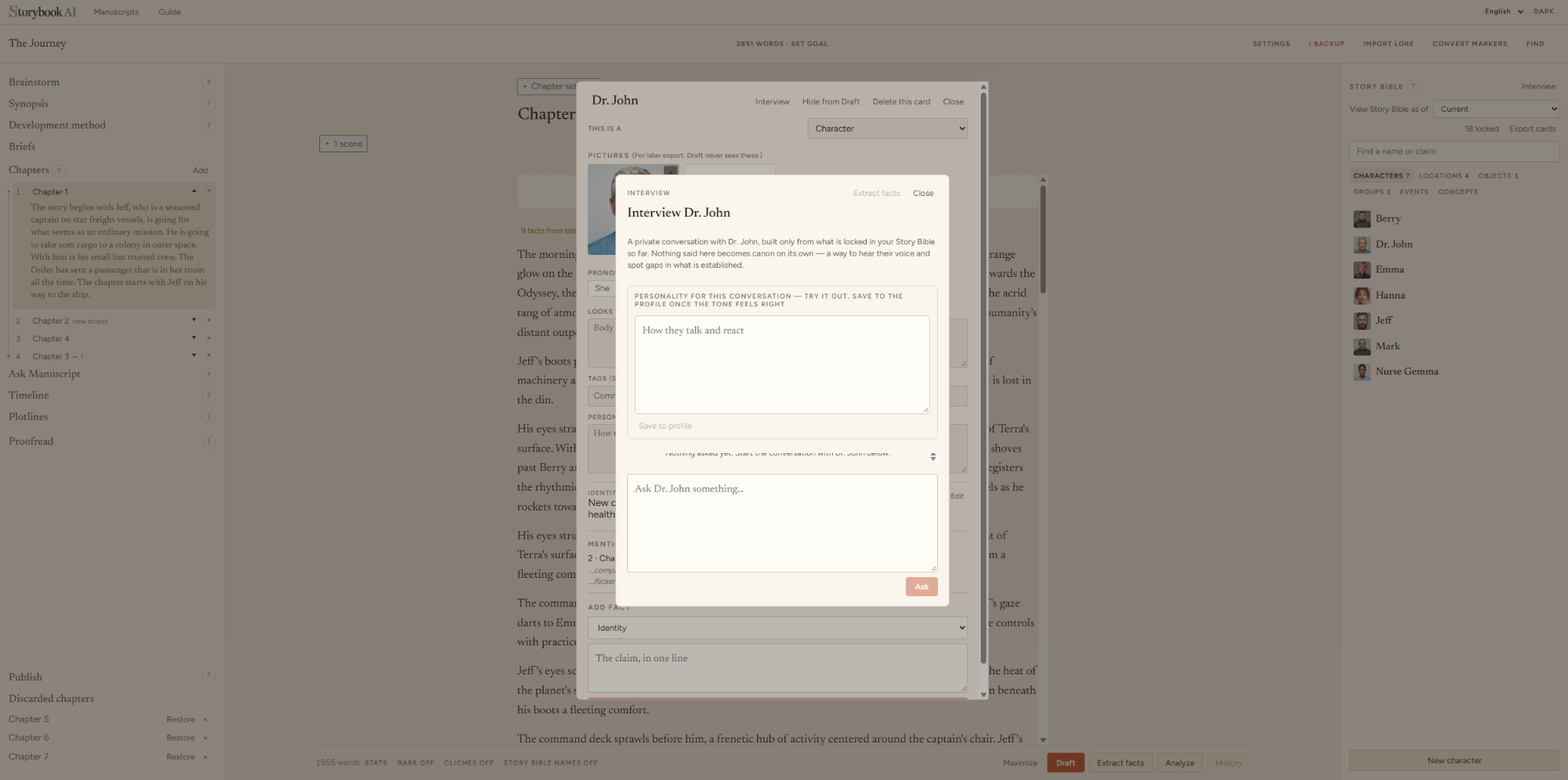
Interview a character using only what StoryBook currently knows from your locked Story Bible facts. Ask open questions, try out a temporary personality for the conversation and discover possibilities without silently changing the story.
If the conversation reveals something worth keeping, extract it for review first. Interview is exploration. Locked facts are canon.
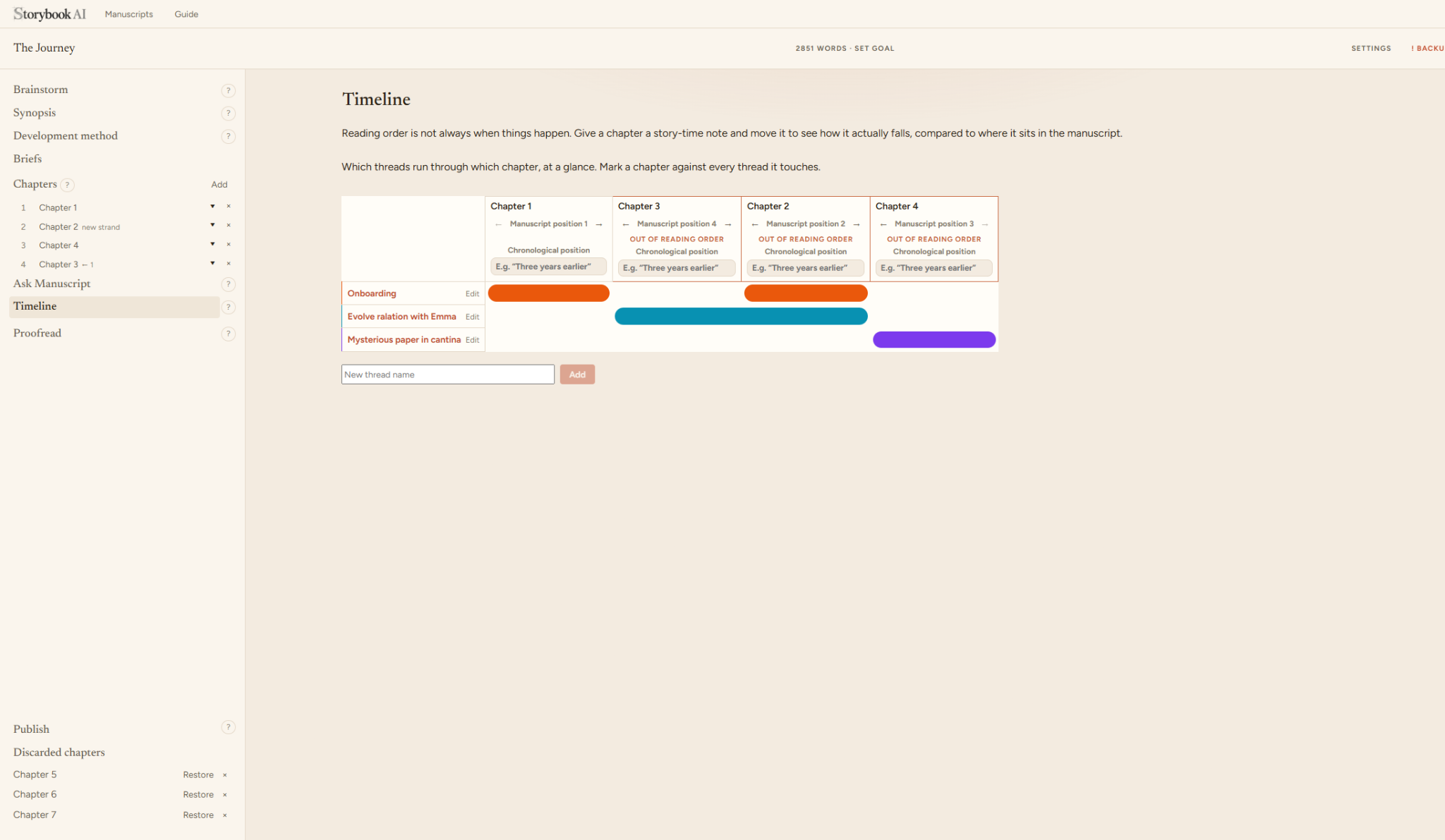
Reading order is not always chronological. StoryBook’s Timeline lets you compare manuscript position with story-time position, mark chapters that happen out of sequence and add notes such as “three years earlier”.
Plot threads run across the same view, making it easier to see which chapters touch each storyline and where a thread disappears or returns.
Generation is only one part of StoryBook. Once text exists, the same project can be explored, checked, refined, organized and published.
Analyze prose, surface repetitions and rare words, review POV, check intended reader age and run manuscript-wide Proofread.
Break chapters into scenes, add writing notes and keep chapter-level voice, POV, tense and reader settings close to the manuscript.
Search the manuscript, match whole words or case, limit the search to the current page, include brainstorm material, and jump straight to repeated words or phrases.
Add chapter, character and place images, and create illustration prompts based on passages and visual style.
Export to Markdown, TXT, RTF, ODT, HTML, ePub and PDF without exposing private planning material.
Keep chapter history, project backups, restore points and discarded chapters so experimentation does not have to be destructive.
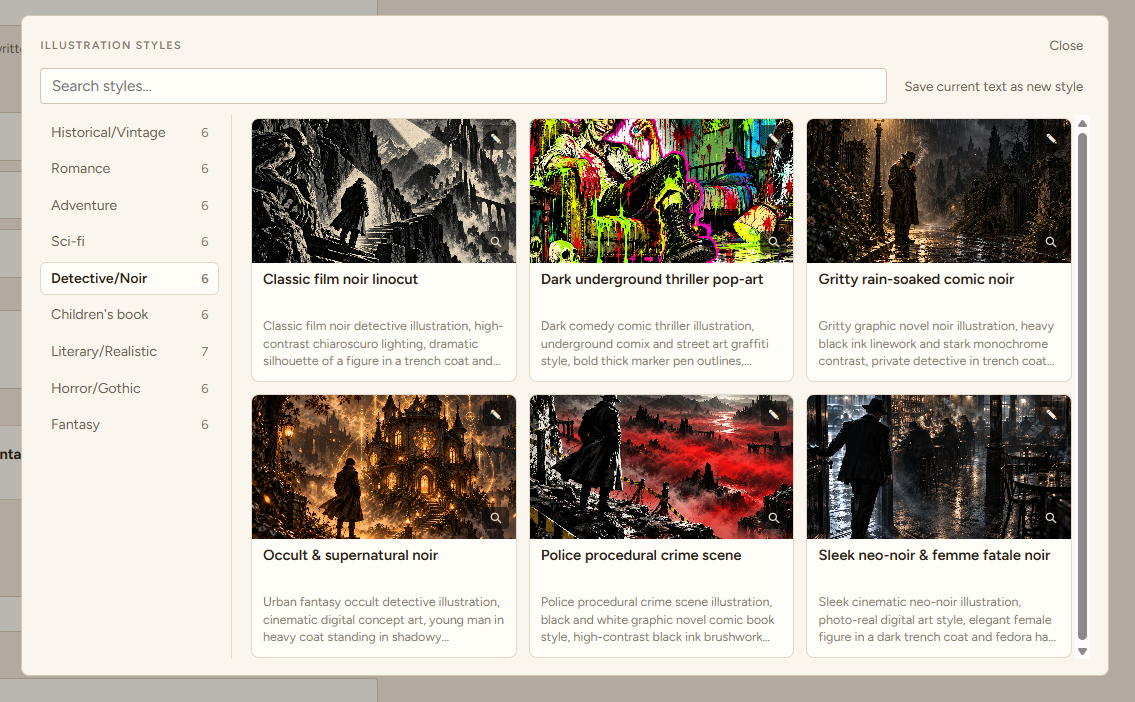
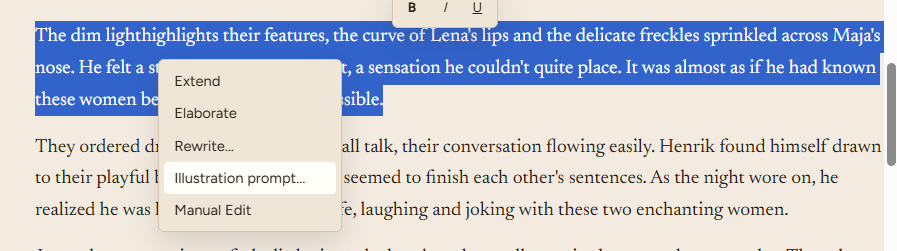
Browse StoryBook’s illustration-style library by genre and mood, search styles, preview examples and save your own style text. When a scene is ready, highlight a passage in the editor and choose Illustration prompt. StoryBook turns the selected prose into a scene prompt and combines it with your chosen visual style.
Because StoryBook is designed not to send your work to external services, it does not call an online image-generation API. Instead, it gives you a finished prompt that you can copy into the image tool of your choice.
Your manuscript stays local. You choose where the prompt goes.
StoryBook is also built for the ordinary work of writing: searching, revising and getting the interface out of the way when you want to focus.
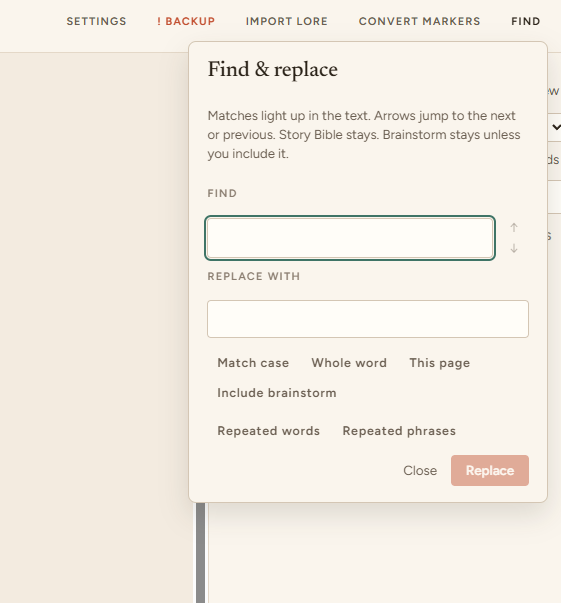
Find and replace across the manuscript, jump between matches, include brainstorm material when useful, and surface repeated words or repeated phrases.
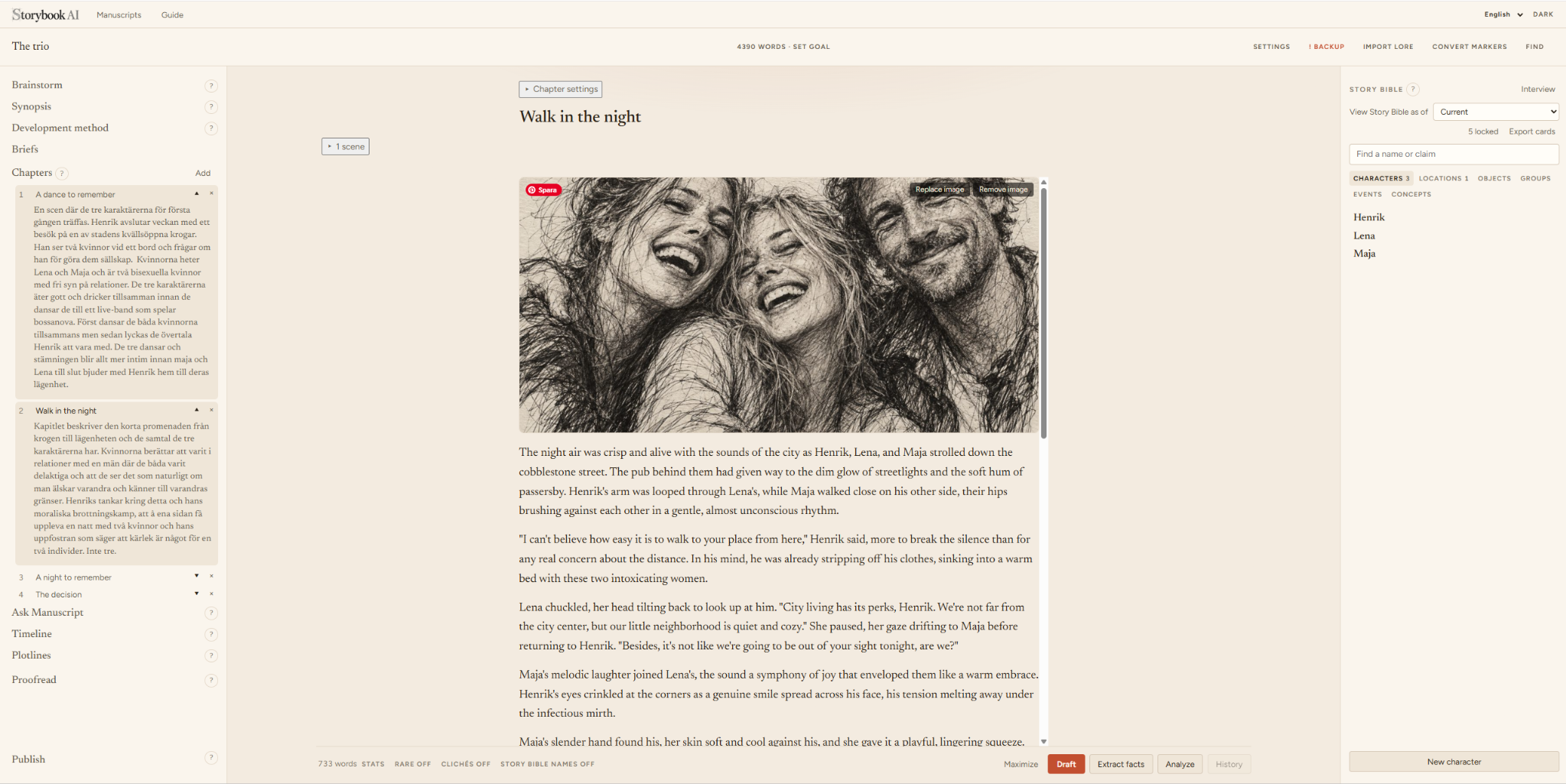
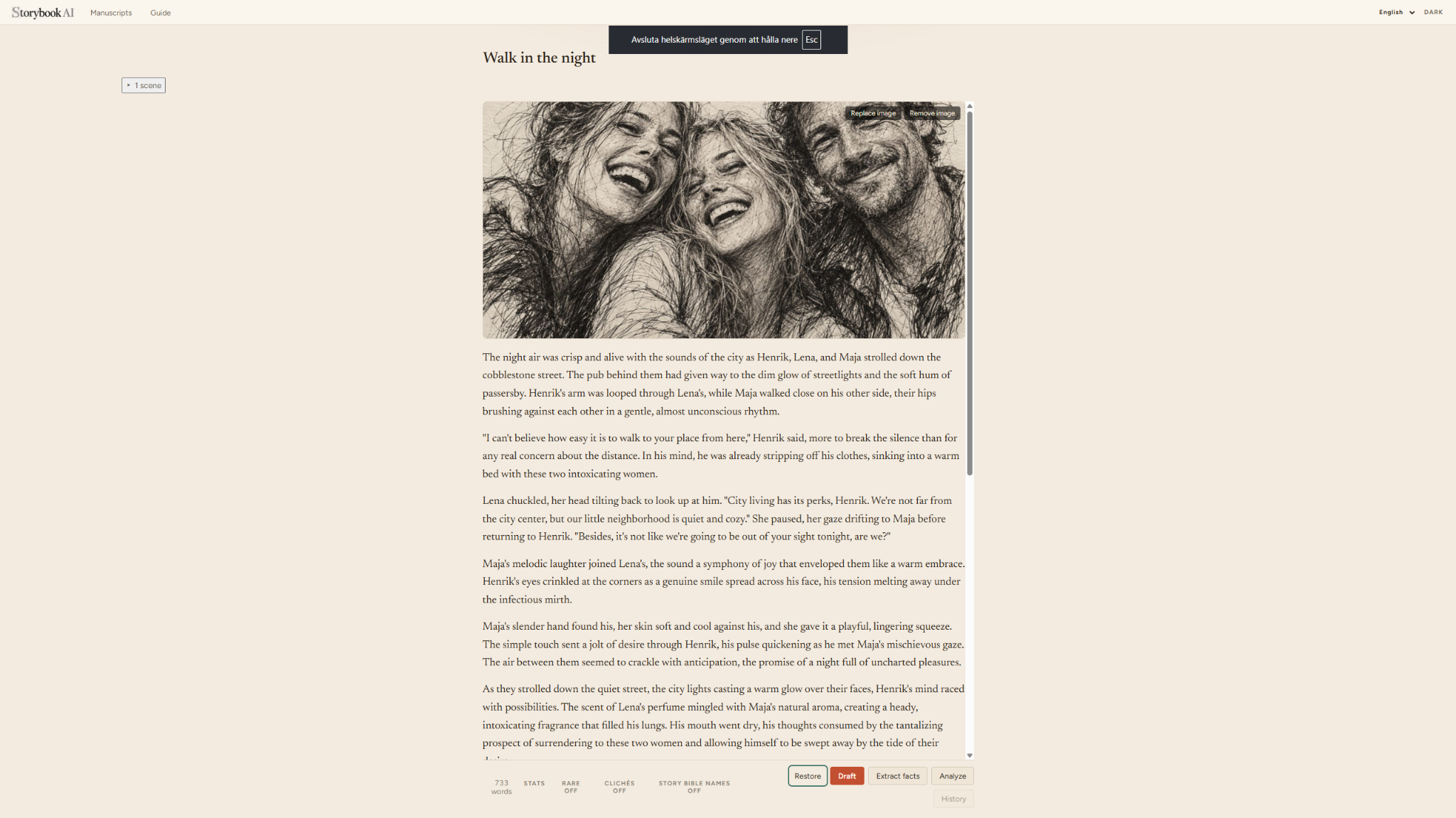
Maximize the editor to hide StoryBook’s navigation and side panels. Combine it with your browser’s fullscreen mode for an almost full-screen writing space.
Less interface. More manuscript.
StoryBook can help you bring in material created elsewhere. Different writing tools store characters, lore, relationships and facts in different ways, so migration is not always a simple one-to-one conversion.
When structured information is extracted from imported material, review what StoryBook found, correct or discard it, and decide what should become part of your Story Bible.
StoryBook works with local AI. You can also write, edit and manage canon by hand when the model is off.
Why local? →Learn the workflow, configure local AI and discover features as you need them. You do not have to learn the whole application before you begin writing.
Explore guides →It can — but it doesn’t have to. StoryBook can draft new text, continue a scene, elaborate on an idea or rewrite a passage. But generating prose is only one part of the application.
You can write every word yourself and still use StoryBook to proofread, analyze pacing and style, check continuity, explore your characters and world, or ask questions about your manuscript. It doesn’t matter how the words got there. Once they’re there, StoryBook can help you understand and refine them.
Absolutely. Write every word yourself and use AI only when you want another pair of eyes. StoryBook can act as a proofreader, analytical tool, sounding board or simply another reader of your manuscript.
StoryBook claims no rights to your work. Your manuscript, notes, characters, Story Bible and other creative material remain yours. StoryBook’s GPLv3 license applies to the StoryBook software — not to the stories you create with it.
Copyright protection for material generated substantially by AI can vary by jurisdiction and depend on human authorship. StoryBook does not change those rules; it simply makes no claim to your work.
Yes — but not every migration is a direct conversion. Writing tools structure characters, lore, relationships and story facts differently. StoryBook can help extract useful information from existing material, but imported facts may need review before they become part of your Story Bible.
Nothing extracted from imported material has to become canon automatically. You review and decide.
No. StoryBook is local by design. Your manuscript and project data stay on your computer, and StoryBook does not send your writing to us for processing.
Copyright rules vary by country. The ownership answer above describes StoryBook’s claim to your material and is not legal advice.